


PUBG Mobile UC voucher
GlobalAbout PUBG MOBILE
PUBG MOBILE is a multiplayer battle royale game designed for mobile devices, where players compete across a variety of maps and game modes using weapons, vehicles, equipment and strategic gameplay.
Players can participate in large-scale Battle Royale matches, team-based modes, Arena battles, special events and other regularly updated gameplay experiences.
About PUBG MOBILE UC
UC (Unknown Cash) is the premium virtual currency used in PUBG MOBILE.
UC can be used to access eligible premium in-game content, including character outfits, weapon skins, vehicle cosmetics, emotes, crates, draws, Royale Pass-related content and other supported items available through the PUBG MOBILE in-game store and events.
Card4Play provides direct PUBG MOBILE UC top-up using the customer’s Player ID. No account password or redemption code is required.
How to Top Up PUBG MOBILE UC
1. Open PUBG MOBILE and log in to your account.
2. Locate your Player ID inside your PUBG MOBILE profile.
3. Go to your player profile by clicking your avatar on the top-left corner.
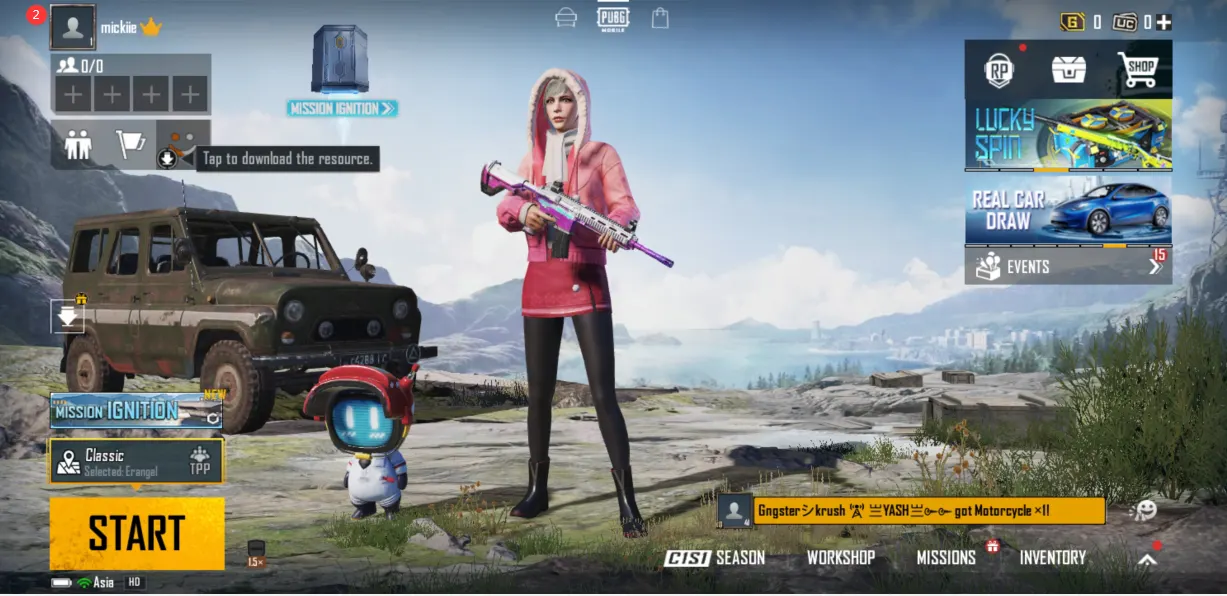
4. Your PUBG M Player ID and Character Name will be displayed.
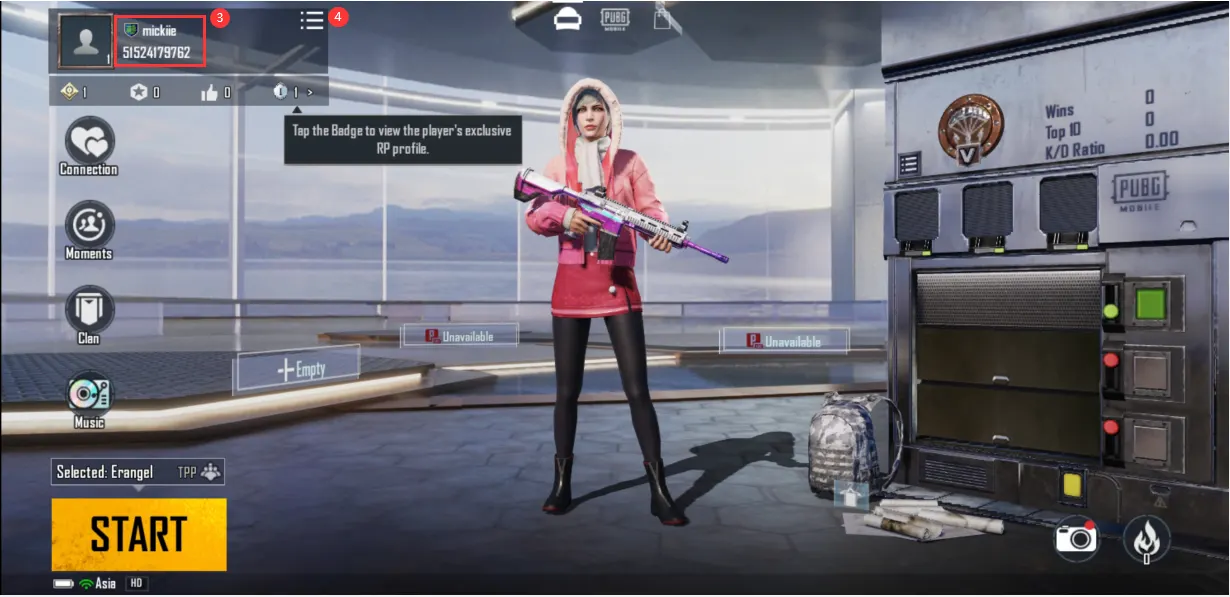
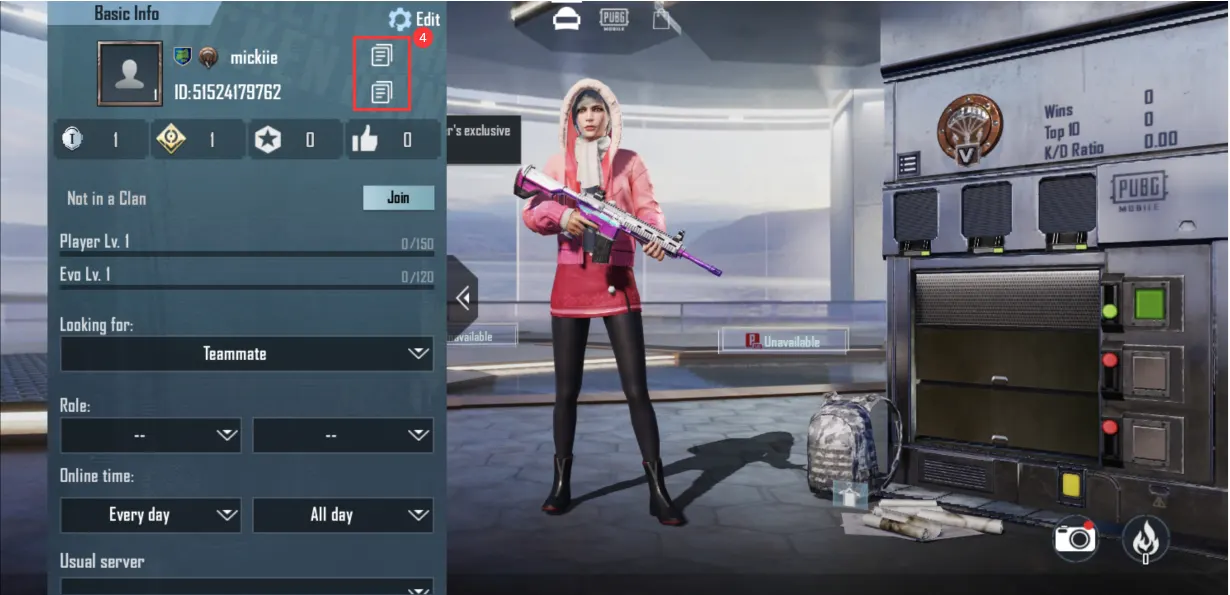
5. Click on the "Menu" icon, and then you can copy your Player ID and Character Name from there.
6. Enter the correct Player ID on the Card4Play PUBG MOBILE product page.
7. Select your preferred UC package.
8. Complete the payment using one of the available payment methods.
9. After the order is successfully processed, the purchased UC will be credited directly to the PUBG MOBILE account associated with the submitted Player ID.
How to Find Your PUBG MOBILE Player ID
1. Open PUBG MOBILE.
2. Tap your Profile / Avatar from the main lobby.
3. Open your player profile information.
4. Locate the numeric Player ID / UID displayed on your profile.
5. Copy the ID carefully and enter it exactly as displayed when placing your order on Card4Play.
Important Information
* Please verify your PUBG MOBILE Player ID before completing your purchase.
* UC will be credited to the PUBG MOBILE account associated with the Player ID submitted during checkout.
* No PUBG MOBILE password or account login credentials are required.
* No redemption code is required for this Card4Play direct top-up product.
* Successfully completed top-ups may not be reversible after UC has been credited to the submitted Player ID.
* UC packages, bonuses, promotions and available in-game items may vary depending on region, game version and active PUBG MOBILE promotions.
* Delivery time may vary depending on order processing and supplier availability.
* Card4Play does not require access to the customer’s PUBG MOBILE account.
* UC is a digital virtual currency intended for use within PUBG MOBILE.